Claude Code in Practice (3): Building Team Standards with Custom Skills
Complete new hire onboarding with just /setup-dev. Automate deployment with a single /deploy staging. Learn how to create team-specific commands with Custom Skills.
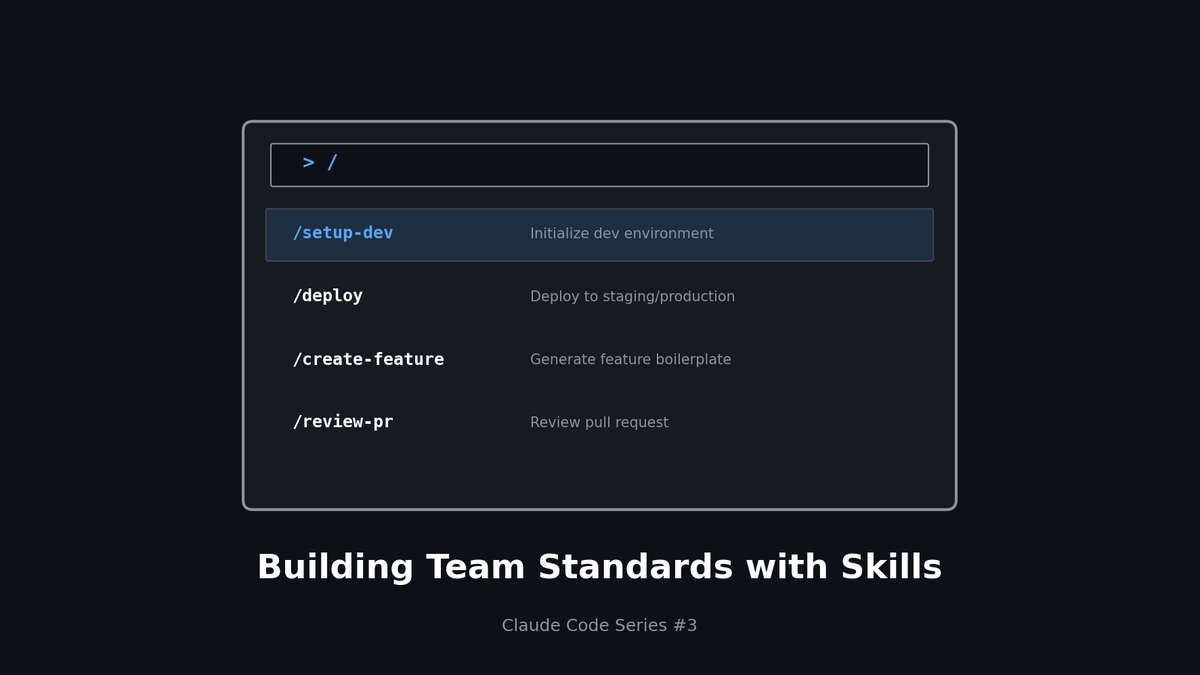
Claude Code in Practice (3): Building Team Standards with Custom Skills
Complete new hire onboarding with just/setup-dev. Automate deployment with a single/deploy staging. Learn how to create team-specific commands with Custom Skills.
TL;DR
- Skills: Reusable Claude command sets
- Team Standardization: Complex workflows as single commands
- Onboarding Automation: Unified environment setup with
/setup-dev - Knowledge Sharing: Convert tacit knowledge into explicit commands
1. What Are Custom Skills?
The Problem Today
New developer's first day:
- "How do I set up the dev environment?" → "Check the wiki" (Wiki is 3 months outdated)
- "What Node version?" → "nvm use"
- "What about .env files?" → "Copy .env.example to..."
- "What about the database?" → "docker-compose up and then..."
- Result: Half a day later
With Skills
New developer's first day:
- "How do I set up the dev environment?" → "Run
/setup-devin Claude" - Automatically: Node.js check, dependencies installed, .env created, DB running, migrations applied
- Result: 5 minutes later
Skills turn team tacit knowledge into executable commands.
2. Skill Structure
File Location
project/
├── .claude/
│   └── skills/
│       ├── setup-dev.md      # Dev environment setup
│       ├── deploy.md         # Deployment automation
│       ├── create-feature.md # Feature generation template
│       └── review-pr.md      # PR review guide
└── CLAUDE.md
Basic Structure
# /skill-name

## Description
One-line description of what this skill does

## Arguments
- `arg1`: First argument description (required/optional)
- `arg2`: Second argument description (default: xyz)

## Steps
1. First step
2. Second step
3. Third step

## Example
/skill-name arg1 arg2
3. Practical Example: /setup-dev
.claude/skills/setup-dev.md
# /setup-dev

## Description
Complete automatic local development environment setup for new developers

## Prerequisites
- macOS or Linux
- Docker Desktop installed
- Git installed

## Steps

### 1. Check System Requirements
- Verify Node.js 18+ installed, guide nvm installation if missing
- Verify pnpm installed, run `npm install -g pnpm` if missing
- Verify Docker is running

### 2. Install Dependencies
pnpm install
### 3. Set Up Environment Variables
- Copy `.env.example` to `.env.local`
- Set required defaults:
  - `DATABASE_URL`: `postgresql://localhost:5432/myapp_dev`
  - `REDIS_URL`: `redis://localhost:6379`
- Ask user if they need external API keys

### 4. Database Setup
docker-compose up -d postgres redis
pnpm db:migrate
pnpm db:seed
### 5. Verifypnpm dev
- Verify http://localhost:3000 is accessible
- Provide default login: test@example.com / password123

## Troubleshooting
- Port 3000 in use: Check with `lsof -i :3000` and terminate
- DB connection failed: Verify Docker is running
- Permission error: `sudo chown -R $(whoami) .`

## Success Message
🎉 Development environment setup complete!
- Dev server: http://localhost:3000
- DB Admin: http://localhost:5555 (pnpm db:studio)
- Docs: http://localhost:3000/docs
4. Practical Example: /deploy
.claude/skills/deploy.md
# /deploy

## Description
Deploy application to specified environment

## Arguments
- `environment`: Deployment environment (staging | production) - required
- `--skip-tests`: Skip tests (ignored for production)

## Pre-checks
1. Verify current branch
   - staging: any branch allowed
   - production: main branch only
2. Check for uncommitted changes
3. Verify sync with remote

## Steps

### Staging Deployment
1. Run tests
pnpm test
pnpm lint
2. Build
pnpm build
3. Deploy
git push origin HEAD:staging
- Triggers Vercel/Netlify auto-deployment
- Deploy URL: https://staging.myapp.com

### Production Deployment
1. All checks must pass
pnpm test
pnpm lint
pnpm typecheck
pnpm build
2. Create tag
VERSION=$(node -p "require('./package.json').version")
git tag -a "v$VERSION" -m "Release v$VERSION"
git push origin "v$VERSION"
3. Push main branch
git push origin main
## Post-deploy
- Send notification to #deployments Slack channel
- Verify health check within 5 minutes of deployment
- Rollback command if issues: `/rollback production`

## Examples
/deploy staging
/deploy staging --skip-tests
/deploy production
5. Practical Example: /create-feature
.claude/skills/create-feature.md
# /create-feature

## Description
Generate file structure and boilerplate for a new feature

## Arguments
- `name`: Feature name (kebab-case) - required
- `--with-api`: Include API endpoint
- `--with-tests`: Include test files

## Generated Structure
src/features/{name}/
├── components/
│ └── {Name}View.tsx
├── hooks/
│ └── use{Name}.ts
├── api/
│ └── {name}.api.ts # --with-api
├── types/
│ └── {name}.types.ts
├── __tests__/ # --with-tests
│ └── {Name}.test.tsx
└── index.ts
## Component Template// src/features/{name}/components/{Name}View.tsx
import { use{Name} } from '../hooks/use{Name}';
import type { {Name}Props } from '../types/{name}.types';
export function {Name}View({ ... }: {Name}Props) {
const { data, isLoading, error } = use{Name}();
if (isLoading) return <LoadingSpinner />;
if (error) return <ErrorMessage error={error} />;
return (
<div className="...">
{/* TODO: Implement UI */}
</div>
);
}
## Hook Template// src/features/{name}/hooks/use{Name}.ts
import { useQuery } from '@tanstack/react-query';
import { {name}Api } from '../api/{name}.api';
export function use{Name}() {
return useQuery({
queryKey: ['{name}'],
queryFn: {name}Api.getAll,
});
}
## After Creation
1. List all created files
2. Guide export additions to index.ts
3. Guide route configuration if needed

## Examples
/create-feature user-profile
/create-feature shopping-cart --with-api --with-tests
6. Optimizing Team Onboarding
Turn Onboarding Checklist into a Skill
`.claude/skills/onboarding-checklist.md`
# /onboarding-checklist

## Description
Check new developer onboarding progress and guide next steps

## Checklist

### Day 1: Environment Setup
- [ ] `/setup-dev` completed
- [ ] Joined Slack channels (#dev, #deployments, #alerts)
- [ ] Added to GitHub team
- [ ] Jira/Linear access granted

### Day 2: Understanding the Codebase
- [ ] Read CLAUDE.md
- [ ] Read architecture docs (docs/architecture.md)
- [ ] Assigned first Good First Issue

### Day 3-5: First PR
- [ ] Local feature development
- [ ] Try `/create-feature`
- [ ] Create PR and receive review
- [ ] Experience `/deploy staging`

### Week 2: Deep Dive
- [ ] Understand on-call rotation
- [ ] Learn monitoring dashboards
- [ ] Understand incident response process

## Current Progress
Check progress and guide the next task.
7. Standardizing PR Reviews
.claude/skills/review-pr.md
# /review-pr

## Description
Perform PR review and provide feedback according to team standards

## Arguments
- `pr_number`: PR number or URL (optional, defaults to current branch)

## Review Checklist

### 1. Code Quality
- [ ] Follows naming conventions (see CLAUDE.md)
- [ ] No unnecessary code duplication
- [ ] Function/component size appropriate (50 lines or less recommended)
- [ ] Proper error handling

### 2. Type Safety
- [ ] No `any` usage
- [ ] Proper type definitions
- [ ] null/undefined handling

### 3. Tests
- [ ] Tests included for new features
- [ ] Edge cases covered
- [ ] Tests are meaningful (not testing implementation details)

### 4. Security
- [ ] User input validation
- [ ] SQL injection prevention
- [ ] XSS prevention
- [ ] No sensitive data exposure

### 5. Performance
- [ ] No N+1 queries
- [ ] No unnecessary re-renders
- [ ] Large bundle additions justified

## Output Format
For each item:
- ✅ Pass
- ⚠️ Suggestion (optional improvement)
- ❌ Required fix

## Example
/review-pr 123
/review-pr https://github.com/org/repo/pull/123
8. Tips for Writing Skills
1) Define Clear Steps
❌ Vague:
## Steps
1. Set up environment
2. Write code
3. Test
✅ Specific:
## Steps
1. Verify Node.js 18+ installed
   - Run `node --version`
   - If below 18, run `nvm install 18 && nvm use 18`
2. Install dependencies
   - Run `pnpm install`
   - On error, try `rm -rf node_modules && pnpm install`
2) Handle Edge Cases
## Troubleshooting
- **Port conflict**: Check with `lsof -i :3000` and terminate the process
- **Permission error**: Verify Docker Desktop is running
- **M1 Mac**: May need `--platform linux/amd64` option
3) Environment-Specific Branches
## Environment-specific

### macOS
brew install postgresql
### Ubuntusudo apt-get install postgresql
### Windows (WSL)wsl --install
Use Ubuntu commands within WSL
9. Recommended Skills by Team
Frontend Team
| Skill | Purpose |
|---|---|
| `/setup-dev` | Dev environment setup |
| `/create-component` | Component boilerplate |
| `/create-page` | Next.js page generation |
| `/storybook-story` | Storybook story generation |
| `/a11y-check` | Accessibility check |
Backend Team
| Skill | Purpose |
|---|---|
| `/setup-dev` | Dev environment setup |
| `/create-endpoint` | API endpoint generation |
| `/create-migration` | DB migration generation |
| `/api-docs` | OpenAPI spec update |
| `/load-test` | Load testing |
DevOps Team
| Skill | Purpose |
|---|---|
| `/deploy` | Environment-specific deployment |
| `/rollback` | Execute rollback |
| `/scale` | Service scaling |
| `/logs` | Log retrieval |
| `/incident` | Incident response checklist |
Conclusion
Custom Skills aren't just automation.
They're documentation of team tacit knowledge in executable form.
| Benefit | Impact |
|---|---|
| Reduced onboarding time | Half a day → 30 minutes |
| Error prevention | Automated checklists |
| Knowledge sharing | Wiki → Executable commands |
| Standardization | Consistency across team members |
In the next part, we'll cover building MCP servers to enable Claude to communicate with external systems.
Series Index
- Context is Everything
- Automating Workflows with Hooks
- Building Team Standards with Custom Skills (This post)
- Building MCP Servers
- Model Mix Strategy
Subscribe to Newsletter
Related Posts
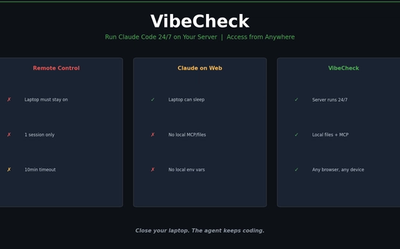
I Wanted Claude Code Running 24/7 on a Server — So I Built VibeCheck
Close your laptop, Claude Code dies. VibeCheck runs it headlessly on your server so you can access from any browser, anywhere. MIT open source.
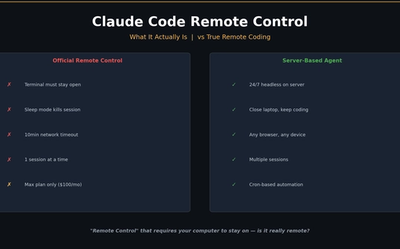
I Closed My Laptop. The Session Died. That's Not Remote.
Claude Code Remote Control sounds great until you close your laptop. Honest review of what it actually is, Anthropic's cloud alternative, and the third option I built.
Google Stitch MCP API: Generate UI Designs via AI Agents
Google Labs Stitch now supports MCP servers, allowing AI tools like Claude Code and Cursor to generate UI designs through API calls. Note: Some details in this article are from unofficial sources and may change.