The Blind Spot of Vibe Coding: Checking Your Server Without a Laptop
Ideas always come when you don't have your laptop
The Blind Spot of Vibe Coding: Checking Your Server Without a Laptop
Ideas always come when you don't have your laptop
A Familiar Situation
On the subway home, it suddenly hits you.
"Is the deployment I pushed earlier throwing any errors?"
Lying in bed, you wonder.
"Did the training run I started run out of GPU memory?"
Waiting for a friend at a café, an idea strikes.
"What if I changed the UI like this... what does it look like now?"
No laptop. Server access is even harder.
Things I've Tried
1. Claude App's Code Feature
Can write code, but it doesn't run on my server. Can't see local files either.
2. Mobile Terminal Apps (Termius, Prompt)
SSH works, but using vim on a tiny screen is torture. A one-line edit takes 30 minutes.
3. GitHub Codespaces Mobile
Cloud dev environment is nice, but can't see my local server's GPU status. Can't check DB logs.
4. Notes App
Write "check tomorrow" and forget. Ideas evaporate.
What I Actually Wanted
Thinking about it, I never wanted to code on my phone.
What I wanted was:
- Screenshot of how the UI looks on my server right now
- One-line summary of whether error logs are piling up
- GPU memory, disk, CPU status check
- Run a simple command and see the result
Not complex coding — just checking and simple operations.
Get Started: Install from GitHub (Open Source) | Try Cloud Beta (No Setup)
VibeCheck: A Remote Control for Your Server via Slack
So I built it.
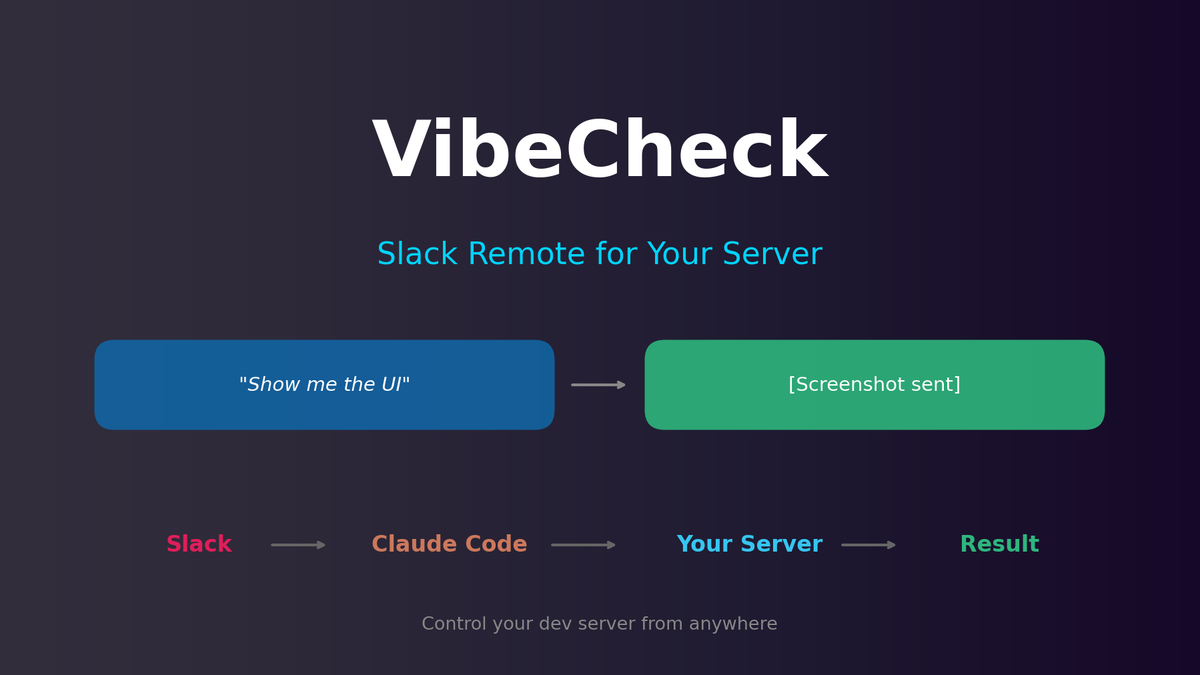
One Slack message runs Claude Code on your server, and the result comes back to Slack.
How It Works
When you want to check the UI
Take a screenshot of the UI and show me→ Captures current localhost:3000 screen and sends to Slack
When you want to check errors
Summarize recent errors from the logs→ Analyzes log files and briefs you on key errors in 3 lines
When you're curious about server status
Show me server status→ Reports GPU memory, disk space, CPU usage
Simple execution
Run pytest→ Runs tests and sends summarized results
How It Works
[Slack] → [VibeCheck Agent] → [Claude Code] → [Your Server]
                                    ↓
                            [Results/Screenshots]
                                    ↓
[Sent to Slack]- Request in natural language via Slack
- VibeCheck interprets the request
- Claude Code runs on your server
- Results sent back to Slack
The key is it runs on your server. Not a cloud VM — your actual development environment.
Installation (5 minutes)
1. Clone the repository
git clone https://github.com/NestozAI/VibeCheck
cd VibeCheck
2. Configure environment
cp .env.example .env
# Enter Slack Bot Token, Anthropic API Key in .env file
3. Run
docker-compose up -d4. Test in Slack
@vibecheck show me server statusUse Cases
Scenario 1: Post-Deployment Monitoring
Friday evening, deployed and left the office.
[Slack] Any errors in the last hour?
[VibeCheck] 0 errors. Running normally.
Enjoy your weekend worry-free.
Scenario 2: Checking Experiment Status
Started training on a GPU server and went out.
[Slack] Check GPU status
[VibeCheck]
- GPU 0: RTX 4090, 18.2GB / 24GB (75%)
- Temperature: 72°C
- Estimated completion: ~2 hours
Scenario 3: Instant Idea Testing
An idea strikes while in bed.
[Slack] In src/components/Button.tsx, change button color from blue-500 to green-500 and show me a screenshot
[VibeCheck] Done. Here's the screenshot:
[Image attached]
Don't like it?
[Slack] Revert it
[VibeCheck] Rolled back.
Scenario 4: Quick Debugging
[Slack] Call /api/users endpoint and show me the response
[VibeCheck]
Status: 200 OK
Response: {"users": [...], "total": 42}
Response time: 127ms
Security
Q: Can anyone access my server?
No. VibeCheck only works from specific channels in your designated Slack workspace. Slack authentication is the first line of defense.
Q: How do you block dangerous commands?
Claude Code has built-in safety measures, plus you can configure command whitelist/blacklist.
Q: Can I use it on production servers?
Designed for development/staging servers. Separate monitoring tools are recommended for production.
Cloud Beta
VibeCheck can be used in two ways:
A. Self-Hosted (Default) — Install agent on your server. Runs in your actual environment.
B. Cloud Beta (Optional) — Try without installation. Sandbox environment provided.
Cloud Beta is for trying before you install, not a replacement for your server. For actual use, self-hosting is recommended.
- Just connect Slack and start using
- Test sandbox environment provided
- Free monthly credits included
If interested, sign up for beta.
Wrap Up
The advantage of vibe coding is rapid experimentation. But without a laptop, you couldn't even check experiment results.
VibeCheck bridges this gap. Before your ideas evaporate, check and test with just one Slack message.
GitHub: https://github.com/NestozAI/VibeCheck
Questions or feedback? Leave an issue.
Subscribe to Newsletter
Related Posts
I Wanted Claude Code Running 24/7 on a Server — So I Built VibeCheck
Close your laptop, Claude Code dies. VibeCheck runs it headlessly on your server so you can access from any browser, anywhere. MIT open source.
I Have Claude Desktop. Why Did I Install NanoClaw?
Claude Desktop is a solo app. If you want AI in your team chat, automated daily briefings, and a codebase you can actually read — NanoClaw.
I Closed My Laptop. The Session Died. That's Not Remote.
Claude Code Remote Control sounds great until you close your laptop. Honest review of what it actually is, Anthropic's cloud alternative, and the third option I built.