Securing ClawdBot with Cloudflare Tunnel
Learn about the security risks of exposed ClawdBot instances on Shodan and how to secure them using Cloudflare Tunnel.
Securing ClawdBot with Cloudflare Tunnel
ClawdBot is a powerful AI assistant that runs locally on your machine. While it's convenient for connecting to WhatsApp, Telegram, Discord and other messengers, using it with default settings poses security risks. This guide covers the dangers of exposed ClawdBot instances on Shodan and how to secure them using Cloudflare Tunnel.
What is ClawdBot?
ClawdBot is an open-source personal AI assistant based on Claude AI. It runs locally on your machine and connects to various messenger platforms through a Gateway server.
Key Features
- Runs locally (Mac, Windows, Linux, Raspberry Pi)
- Supports WhatsApp, Telegram, Discord, Slack, and more
- WebSocket-based Gateway (default port: 18789)
- Complete data privacy
The Problem: Exposed ClawdBot Instances on Shodan
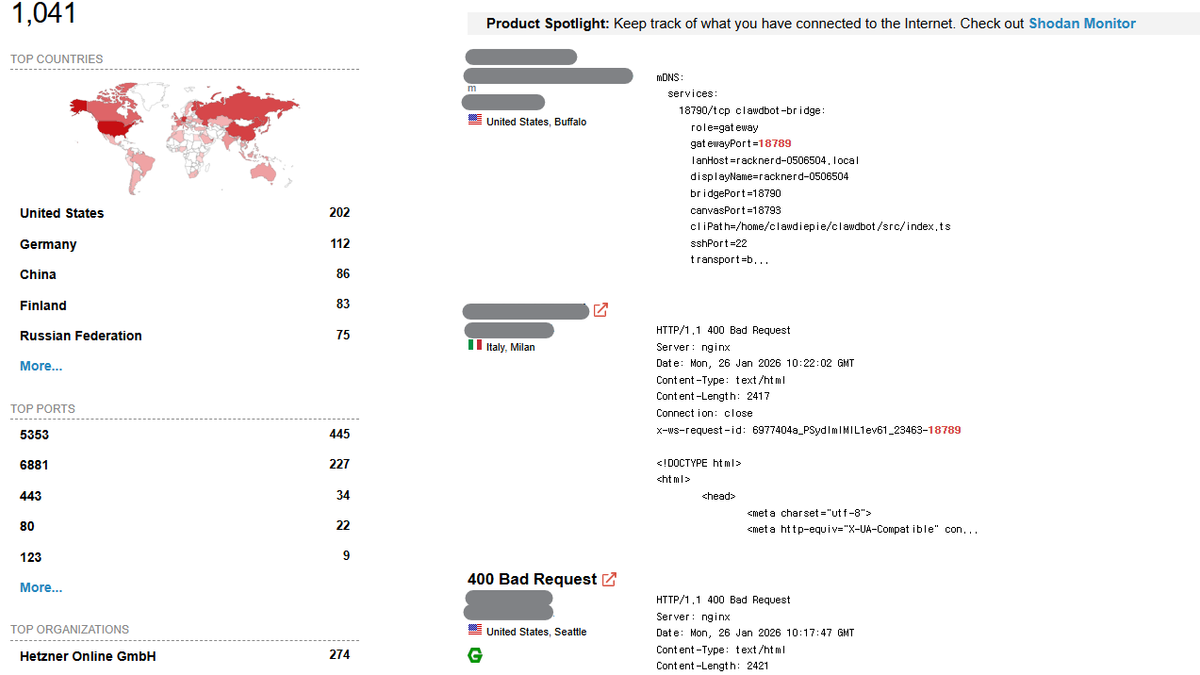
Searching for port 18789 on Shodan reveals publicly exposed ClawdBot Gateway instances across the internet.
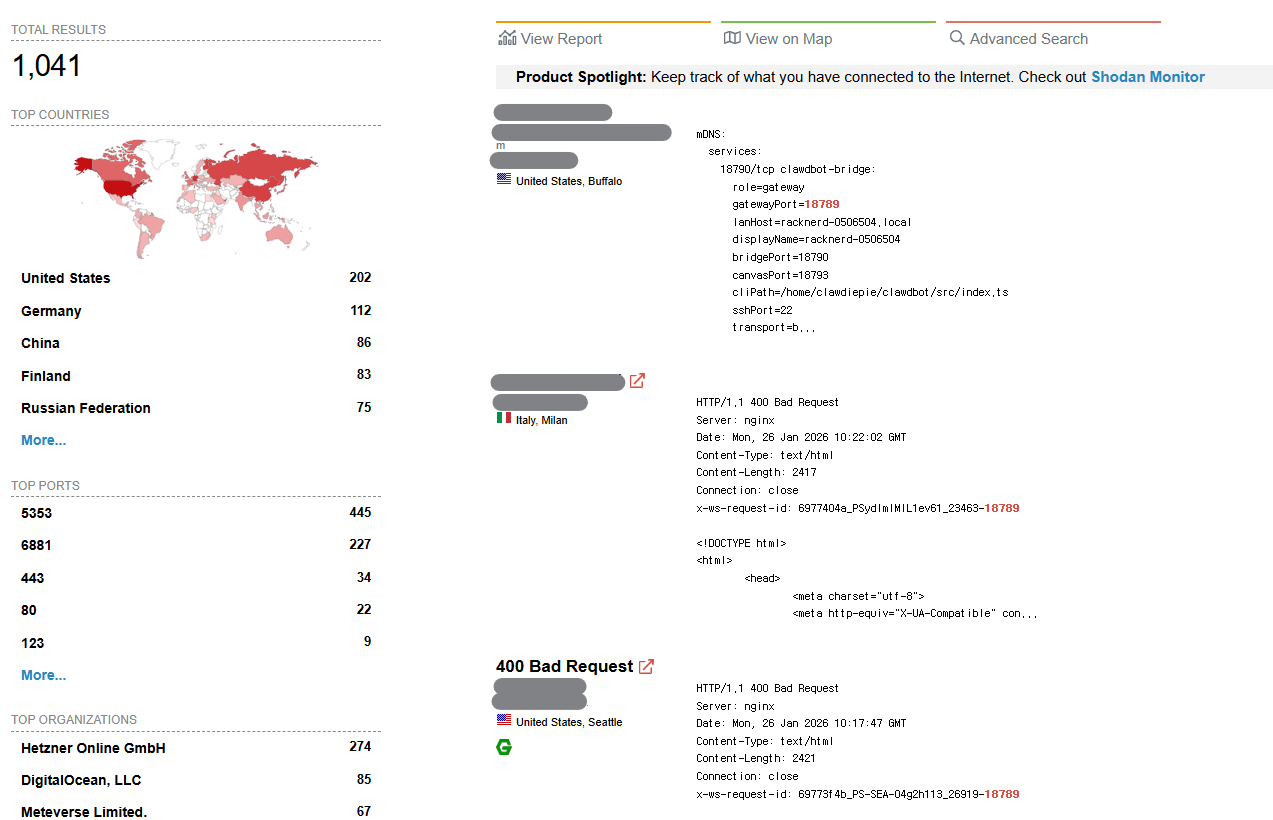
Why is this dangerous?
- Unauthorized Access: Anyone can connect to the Gateway without authentication
- Conversation Leakage: All AI conversations could be exposed
- API Key Theft: Connected Claude API keys could be stolen
- Bot Hijacking: Attackers could take control of your messenger bots
Many users enable external access with --bind 0.0.0.0 for convenience, without setting up firewalls or authentication.
The Solution: Cloudflare Tunnel
Cloudflare Tunnel allows secure access to your server without directly exposing ports to the internet.
Benefits
- No Port Exposure: No need to open port 18789 to the internet
- DDoS Protection: Cloudflare's protection applied automatically
- Access Policies: Control access by email, IP, and more
- Free: Basic features are completely free
Related Posts
Google Stitch MCP API Released: AI Agents Can Now Directly Manipulate UI Designs
Google Labs' experimental AI UI design tool Stitch now officially supports MCP (Model Context Protocol) servers. You can now directly manipulate Stitch projects from AI coding tools like Cursor, Claude Code, and Gemini CLI.
Integrating Google Stitch MCP with Claude Code: Automate UI Design with AI
Learn how to connect Google Stitch with Claude Code via MCP to generate professional-grade UI designs from text prompts.
The Blind Spot of Vibe Coding: Checking Your Server Without a Laptop
Ideas always come when you don't have your laptop